PIVXie shield icon PIVXie
● Self-Custodial PIVX Wallet · GPLv3 Open Source

PIVXie Your PIVX. Your Keys.
Total Control.


Create or import a local wallet: your recovery phrase and keys are generated and stored only on your device. No sign-up, no ads, no tracking—and nobody else can move your coins. Manage transparent & SHIELD private balances, register & manage PIVX names, delegate Cold Staking, control Masternodes, and vote in DAO Governance from anywhere.

  • SHIELD zk-Privacy
  • PIVX Name
  • Cold Staking
  • Masternode Control
  • DAO Voting
  • Built-in Tor
  • Custom pivx-bridge
PIVXie cyber-fairy mascot holding the glowing PIVX shield wallet
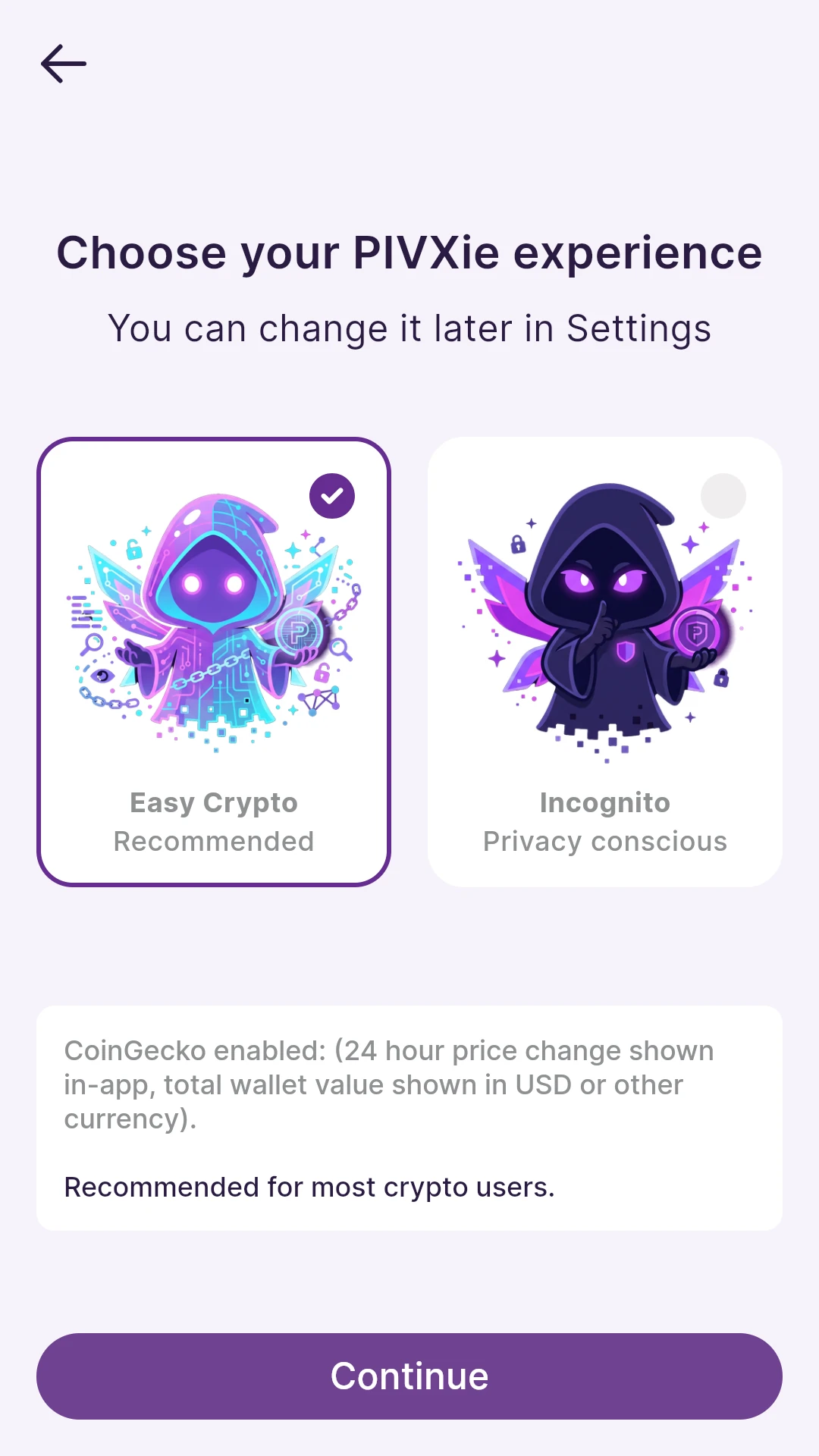
Privacy Modes Easy Crypto or Incognito
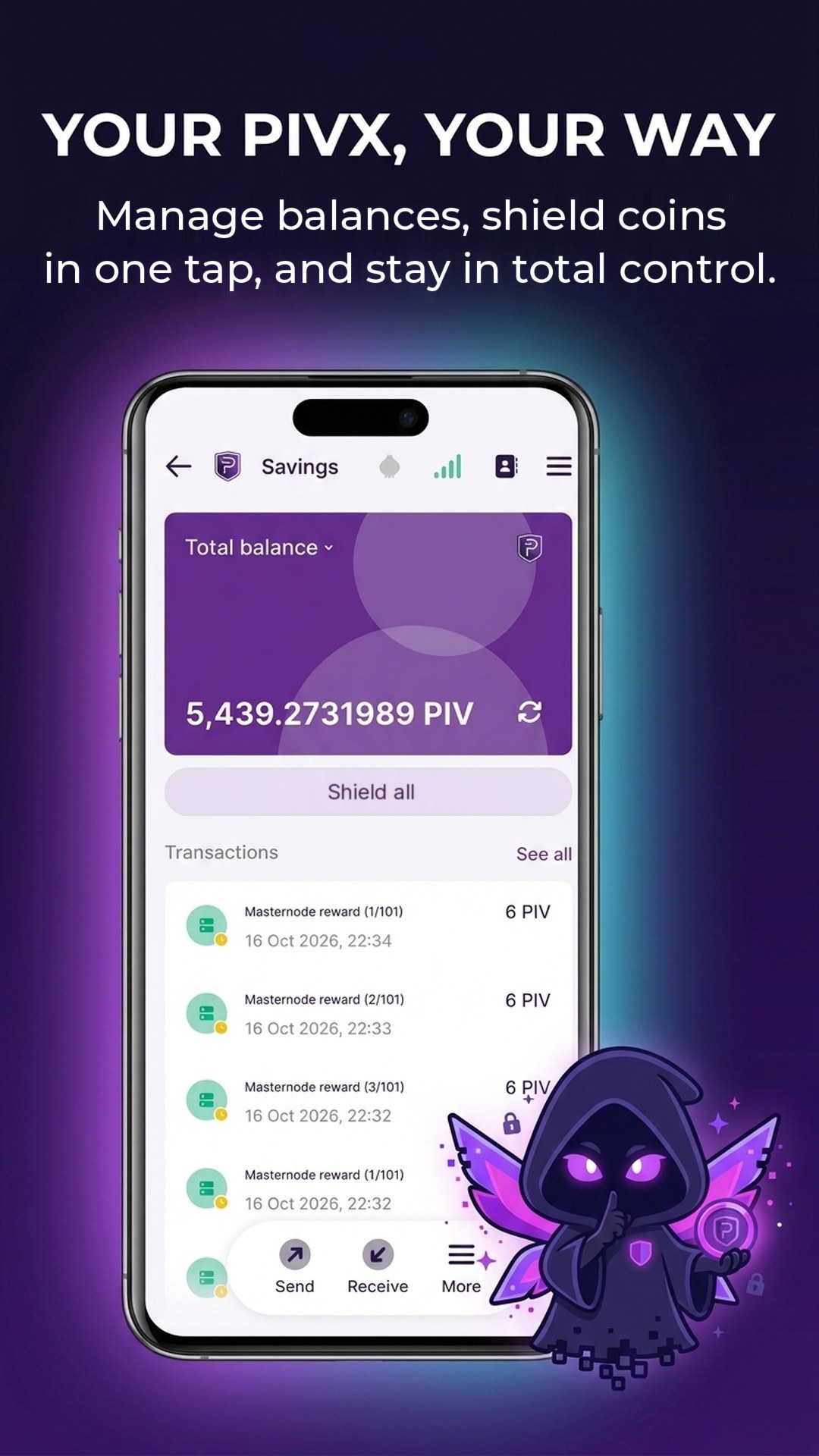
PIVXie Wallet screen preview

// full-featured light wallet

Everything PIVX. Zero Compromise.

Designed for speed, sovereignty, and everyday usability on mobile and desktop—without ever surrendering your keys or running a full blockchain node on your phone.

01 // everyday & shield

Easy PIVX Management

Shield, unshield, and send PIV privately with encrypted memos. Send to human-readable PIVX names, scan QR codes, open pivx: links, use granular Coin Control, and filter clearly labeled transactions.

02 // self-custodial staking

Cold Staking

Delegate staking rights to a staker while your coins and spending keys stay in your wallet on your device. Pick a staker listed on masternode.space or use your own node, and undelegate anytime.

03 // network operators

Set Up & Manage Masternodes

Create a new masternode or import existing nodes right from your wallet. Start nodes remotely, inspect collateral UTXOs, and monitor live status (Pre-enabled, Enabled) and reward payouts on the go.

04 // decentralized governance

DAO Proposals & Voting

Browse live PIVX DAO budget proposals, track superblock allocations and payout countdowns, submit your own proposals, and cast cryptographic votes across all your masternodes with a single tap.

NAMING SERVICE BY PIVX.NAME

Human-Readable Short Names with PIVX Name

PIVX.name is a community naming service, separate from PIVXie, that replaces long PIVX addresses with memorable short names like alice.pivx. Each name points to a SHIELD address. PIVXie has full native integration: send PIV to any PIVX name, and register new names and manage the ones you own right inside the wallet. PIVX.name runs the names, and its own rules and fees apply.

✓ Send to Short Names ✓ Register Names In-App ✓ Manage & Update Records Visit pivx.name ↗

// interactive walkthrough

Inside the PIVXie Interface

Click any workflow below to inspect the real app interface, or open the full showcase cards in high resolution.

PIVXie app screenshot preview
SCREEN 01 / 06

CHOOSE YOUR EXPERIENCE

Switch between Easy Crypto mode or full Incognito privacy anytime.

  • Easy Crypto: fiat value estimates & 24h price change via CoinGecko
  • Incognito: disables third-party price lookups for strict privacy
  • Pair with optional built-in Tor routing and custom pivx-bridge
  • Switch between experiences anytime in Settings

// tap any poster to enlarge full showcase card

// uncompromising architecture

Built for True Sovereignty

Every layer of PIVXie is engineered to keep your keys and wallet data on your device, and your network traffic under your control.

ZERO-KNOWLEDGE PRIVACY

SHIELD Transactions & Encrypted Memos

Move effortlessly between transparent and SHIELD balances. Shield, unshield, and send PIV privately with zero-knowledge cryptography and attach optional encrypted memos visible only to the recipient.

zk-SNARK Sapling One-Tap Shield All Encrypted Memo
NETWORK ANONYMITY

Optional Tor & Zero Tracking

Route every wallet connection through Tor directly inside the app. PIVXie contains zero ads, zero analytics SDKs, and zero user profiling.

Tor Routing No Telemetry
DURESS PROTECTION

PIN, Biometrics & Duress PIN

Lock your wallet with a PIN or biometric authentication—and configure a separate Duress PIN that opens PIVXie showing only the specific decoy wallets you choose.

Biometric Lock Duress Decoy Mode
UNIVERSAL RECOVERY

12/24-Word Seed & MyPIVXWallet Ready

Restore with any 12- or 24-word BIP39 recovery phrase plus an optional passphrase. Recovery phrases created in MyPIVXWallet work out of the box, alongside encrypted & automatic local backups.

12 / 24 Words + Passphrase MyPIVXWallet Compatible
SELF-HOSTABLE BACKEND

Connect to Your Own pivx-bridge Server

PIVXie connects to the official PIVXie bridge by default for instant mobile & desktop synchronization. Want full end-to-end node sovereignty? Switch the endpoint in Settings to your own self-hosted pivx-bridge server at any time.

Default PIVXie Bridge Custom pivx-bridge Support View-Only Wallets Sign & Verify Messages

// two faces of pivxie · live theme switcher

Choose Your PIVXie Experience

Just like inside the PIVXie app, you can switch between Easy Crypto (Light Side) and Incognito (Dark Side) anytime. Click a side to transform the site:

// release v1.3.0 · verified builds

Get PIVXie Wallet

Available for Android, Linux, Windows and macOS, with iOS coming soon. Install from Google Play or GitHub Releases, or grab architecture-specific packages with SHA-256 checksums below.

01 // MOBILE APP

Android & iOS

Install from Google Play, browse the GitHub release page, or download signed APKs directly. The iOS version is coming soon to the App Store.

v1.3.0
Direct Android APK Downloads SHA-256: SHA256SUMS

Not sure which APK to pick? The universal APK works on every Android device. If you plan to switch to Google Play later, install the universal APK.

02 // DESKTOP APP

Linux, Windows & macOS

Run PIVXie natively on your computer. On Linux, pick the Flatpak, the AppImage, or the portable tarball. The macOS app is signed with our Developer ID and notarized by Apple; the Windows build isn't signed yet, and the steps below show how to open it.

v1.3.0
Linux · x86_64 SHA-256: SHA256SUMS

The AppImage and the tarball need glibc 2.39 or newer (Ubuntu 24.04, Fedora 40, Debian 13 or later). On older systems, use the Flatpak: flatpak install --user pivxie-1.3.0-x86_64.flatpak. It gets its runtime from Flathub.

Linux · arm64 (aarch64)

The AppImage and the tarball need glibc 2.35 or newer. The Flatpak works on most distributions: flatpak install --user pivxie-1.3.0-aarch64.flatpak.

Windows & macOS

Windows: unzip and run PIVXie\pivxie.exe. The build isn't signed yet, so Windows may show “Windows protected your PC”. Click More info, then Run anyway.
macOS: unzip and move PIVXie.app to Applications, then open it as usual. It needs macOS 12 Monterey or newer.

// verify download integrity
$ sha256sum -c --ignore-missing SHA256SUMS

Save SHA256SUMS in the folder with your downloads, then run the command there. On macOS, use shasum -a 256 -c --ignore-missing SHA256SUMS.

Android APK signing certificate SHA-256: 60:D0:9F:10:EC:DC:DD:BD:85:71:10:FD:93:CB:94:6D:BC:B9:07:F1:C4:AD:D1:E0:26:45:7C:E3:DD:C9:39:E9

Self-Custody Reminder: Keep your 12- or 24-word recovery phrase written down somewhere safe offline. Whoever has it controls your coins, and nobody—ALEXXIY SOFTWARE LTD included—can recover or reset it for you.

Non-Custodial Software Notice: PIVXie, developed by ALEXXIY SOFTWARE LTD, is strictly non-custodial software. All cryptographic private keys and recovery phrases are generated, encrypted, and stored locally on the user's device. ALEXXIY SOFTWARE LTD never collects, accesses, holds, takes custody of, or controls user private keys, recovery phrases, or digital assets, cannot initiate or reverse blockchain transactions, and does not accept, process, or transmit fiat currency.

PIVXie does not provide exchange, brokerage, or investment services. Nothing on this website or in the app is financial, investment, legal, or tax advice, or an invitation to buy, sell, or hold any cryptoasset.

// origin signal_01.mp4

Where PIVXie Hatched

Watch the original PIVXie genesis transmission.

signal_01.mp4 · standby